
Cute Cursors
DeviantArt
Free DeviantArt-themed custom cursors - cute creative pointer art for artists.

Smeshariki is built on one design rule: every character is a circle. A rabbit, a hedgehog, a sheep, a moose, a raven - all drawn as spheres with minimal limbs, which makes them instantly readable and unusually pleasant to look at.
The writing is where it surprises people. Behind the round shapes and the pastel colours, the show is genuinely philosophical, with episodes about mortality, loneliness, art, and the difficulty of being understood. It's aimed at children and it does not talk down to them.
Krosh and Hedgehog make the central pairing - one impulsive and loud, one anxious and bookish - and most episodes are really about the friction between how they approach a problem.
It became one of the most successful animated properties in the Russian-speaking world and travelled internationally under the name Kikoriki, though the original name stuck with most fans.
This collection covers the round cast in their original bright colours.
Browse 10 carefully curated cursor packs in this collection. All packs are free to download and work with Chrome, Edge, and Windows browsers.
From Custom Cursor World, Custom Cursors, and Cute Cursors catalogs
Discover more curated cursor collections that match your interests. Explore similar themed collections with free cursor packs for Chrome, Edge, and Windows.
Free DeviantArt-themed custom cursors - cute creative pointer art for artists.

Free Alley Cats cursors - Ricky Gervais Netflix scruffy cat crew with dark outline fan art.

Free Strawberry Buddy custom cursors - cute strawberry character packs with matching pointers.

Free Blueberry Buddy custom cursors - cute blueberry character packs with matching pointers.
Follow these simple steps to start using custom cursors from the Smeshariki collection. All cursor packs are free and easy to install.
Install the Custom Cursor World extension for Chrome or Edge browser. The extension is free and takes less than a minute to set up.
Explore 10 cursor packs in the Smeshariki collection and find your favorite designs. Each pack is carefully curated for quality.
Click on any cursor pack and download it directly to your browser. No additional software or configuration needed.
Your new cursor is now active! Customize your browsing experience with unique cursor designs from the Smeshariki collection.
Common questions about the Smeshariki cursor collection
The Smeshariki collection is a curated set of custom cursor packs designed to enhance your browsing experience. Each pack in this collection has been carefully selected to provide unique and visually appealing cursor designs.
Yes! All cursor packs in this collection are completely free to download and use. There are no hidden fees or subscriptions required.
These cursor packs work with Chrome and Edge browsers through the Custom Cursor World extension. The extension is free and easy to install.
Simply click on any cursor pack in this collection, then click the "Add" or "Download" button. The extension will automatically install the cursor pack for you.
Yes! You can switch between different cursor packs at any time. Just browse our collections and select a new pack whenever you want to change your cursor style.
No restart is needed! Once you install a cursor pack, it becomes active immediately. You can start using your new cursor right away.
Install our free browser extension to instantly apply any cursor from our vast collection with one click. Works seamlessly with Chrome, Edge, and Windows.

Krosh Classic cute cursor pack: free custom cursors with round friend style.

Hedgehog Classic cute cursor - free custom cursor with Smeshariki vibes.
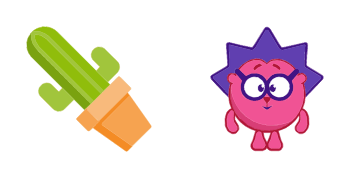
Grab the Hedgehog Soft cute cursor - a free custom cursor pack for Smeshariki fans.
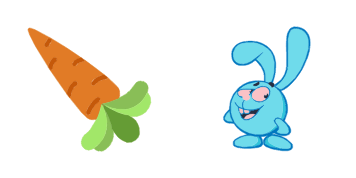
Meet the Krosh Soft cute cursor - free custom cursor ready for every click.

Smeshariki Sovunya Hero cute cursor brings a purple owl in a striped hat arrow and a matching purple pointing-hand pointer.

Smeshariki Barash Hero cute cursor packs a lavender ram with curly horns arrow and a matching pointing-hand pointer.

Smeshariki Losyash Hero cute cursor brings a yellow moose with antlers arrow and a matching yellow pointing-hand pointer.

Smeshariki Yozhik Hero cute cursor packs a magenta hedgehog with glasses arrow and a matching pointing-hand pointer.

Smeshariki Nyusha Hero cute cursor brings a pink pig with a flower ponytail arrow and a matching pink pointing-hand pointer.

Smeshariki Krosh Hero cute cursor packs a cheerful light-blue rabbit arrow and a matching blue pointing-hand pointer.