
Cute Cursors
USA Dallas The Colony Grandscape
Cute USA Dallas The Colony Grandscape custom cursors - Ferris wheel, fountains, lakes, parks, Texas wildlife icons with matching symbol pointers.

The Simpsons Cursors Collection is a set of cursors inspired by the iconic animated series The Simpsons.
This collection contains cursors with characters and symbols from this famous show.
You will be able to decorate your computer desktop with funny and recognizable faces of Homer, Marge, Bart, Lisa and other residents of Springfield.
Absolutely everyone heard about such a famous animated series as The Simpsons. Even those people who have never looked like this are aware of the existence of yellow characters.
And the fans are delighted when the next season of their favorite cartoon comes out. By the way, in the fall of 2019, 31 season accounts were released. And the first appeared on television screens back in 1989. Fox began to show it and still continues to do it due to high ratings and audience sympathy.
The Simpsons is a satirical genre that touches on relevant topics. This may be the lifestyle of the average American, political and religious issues starry tricks of celebrity, feminism, same-sex marriage. In general, everything related to local and global events in which the United States participates.
The action of the animated series takes place in the nonexistent town of Springfield. In fact, there are a lot of cities with that name in America. Perhaps that’s why it was chosen so that the audience did not associate what was happening on the screens with a specific locality, but only guessed where this could be.
You are most likely a fan of the Simpsons. Otherwise, why would you read this text to the end? And if so, then you have the opportunity to change the bored mouse cursor to a pointer that is made in the style of this animated series.
Browse 139 carefully curated cursor packs in this collection. All packs are free to download and work with Chrome, Edge, and Windows browsers.
From Custom Cursor World, Custom Cursors, and Cute Cursors catalogs
Discover more curated cursor collections that match your interests. Explore similar themed collections with free cursor packs for Chrome, Edge, and Windows.
Cute USA Dallas The Colony Grandscape custom cursors - Ferris wheel, fountains, lakes, parks, Texas wildlife icons with matching symbol pointers.

Free DeviantArt-themed custom cursors - cute creative pointer art for artists.

Free Alley Cats cursors - Ricky Gervais Netflix scruffy cat crew with dark outline fan art.

Free Strawberry Buddy custom cursors - cute strawberry character packs with matching pointers.
Follow these simple steps to start using custom cursors from the The Simpsons collection. All cursor packs are free and easy to install.
Install the Custom Cursor World extension for Chrome or Edge browser. The extension is free and takes less than a minute to set up.
Explore 139 cursor packs in the The Simpsons collection and find your favorite designs. Each pack is carefully curated for quality.
Click on any cursor pack and download it directly to your browser. No additional software or configuration needed.
Your new cursor is now active! Customize your browsing experience with unique cursor designs from the The Simpsons collection.
Common questions about the The Simpsons cursor collection
The The Simpsons collection is a curated set of custom cursor packs designed to enhance your browsing experience. Each pack in this collection has been carefully selected to provide unique and visually appealing cursor designs.
Yes! All cursor packs in this collection are completely free to download and use. There are no hidden fees or subscriptions required.
These cursor packs work with Chrome and Edge browsers through the Custom Cursor World extension. The extension is free and easy to install.
Simply click on any cursor pack in this collection, then click the "Add" or "Download" button. The extension will automatically install the cursor pack for you.
Yes! You can switch between different cursor packs at any time. Just browse our collections and select a new pack whenever you want to change your cursor style.
No restart is needed! Once you install a cursor pack, it becomes active immediately. You can start using your new cursor right away.

Install our free browser extension to instantly apply any cursor from our vast collection with one click. Works seamlessly with Chrome, Edge, and Windows.

Give clicks a Bart Simpson twist - cute cursor and free custom cursor vibes.

Add a Homer Simpsons Classic cute cursor to your mouse - free custom cursor download.

Homer Simpson pointer charm - cute cursor pack and free custom cursor ready.

Maggie Simpson pointer charm - cute cursor pack and free custom cursor ready.

Abe Simpson cute cursor look - free custom cursor packed with quiet chaos.
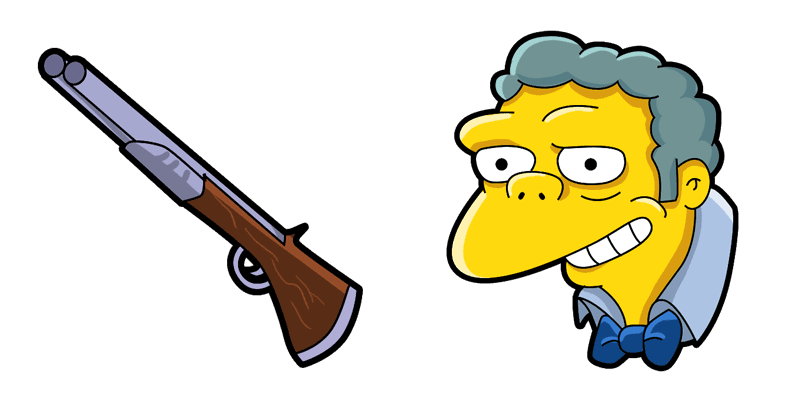
Browse with a Moe Szyslak cute cursor - free custom cursor pack ready now.

Pick Bart Simpsons Classic as your cute cursor - free custom cursor for sharp clicks.

Lisa Simpson cute cursor download - free custom cursor with cartoon town flair.

Browse with a Marge Simpson cute cursor - free custom cursor pack ready now.

Install Charles Montgomery Burns cute cursor today - free custom cursor with donut-town flair.

Ned Flanders cute cursor set - free custom cursor with clean tip vibes.

A fresh Homer Simpson Soft cute cursor - free custom cursor pack with soft outlines.

Meet the Bart Simpson Character cute cursor - free custom cursor with soft yellow glow.

Homer Simpson Character cute cursor pack - free custom cursor for cartoon fans.

A fresh Lisa Simpson Character cute cursor - free custom cursor pack with soft outlines.
Bart Simpson Soft yellow cute cursor - free custom cursor with playful cartoon pop.

Give clicks a Milhouse Van Houten twist - cute cursor and free custom cursor vibes.

Swap in Bart and Skateboard cute cursor - free custom cursor with a tidy tip.

Add a Maggie Simpson Soft cute cursor to your mouse - free custom cursor download.

Click wilder with Moe Szyslak Soft - cute cursor and free custom cursor pack.

Marge Simpson Soft free custom cursor pack - cute cursor ready for Chrome or Edge.

A fresh Lisa Simpson Soft cute cursor - free custom cursor pack with soft outlines.

Marge Simpson Character: a playful cute cursor and free custom cursor for lazy days.

Homer and Duff Beer cute cursor pack - free custom cursor for cartoon fans.

Keep it Springfield: Ned Flanders Soft cute cursor - free custom cursor pack.

Milhouse Van Houten Soft cute cursor look - free custom cursor packed with quiet chaos.

Install Lisa and Saxophone cute cursor today - free custom cursor with donut-town flair.

Pick Marge and Maggie in Grocery Bag as your cute cursor - free custom cursor for sharp clicks.

Maggie and Baby Bottle cute cursor companion - free custom cursor for late-night tabs.
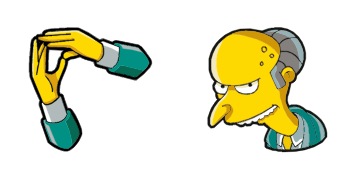
Swap in Charles Montgomery Burns Soft cute cursor - free custom cursor with a tidy tip.

Angel Homer yellow cute cursor - free custom cursor with playful cartoon pop.

Krusty the Clown and Burger cute cursor pack - free custom cursor for cartoon fans.

Browse with a Santa's Little Helper and Frisbee cute cursor - free custom cursor pack ready now.

Snowball II cute cursor set - free custom cursor with clean tip vibes.

Nelson Ha Ha free custom cursor pack - cute cursor ready for Chrome or Edge.

A fresh Evil Homer cute cursor - free custom cursor pack with soft outlines.

Start clicks with Milhouse and Asthma Inhaler cute cursor - free custom cursor, easy install.

Clancy Wiggum Animated cute cursor - free custom cursor with Springfield flair.

Own the tip with Robert Terwilliger and Knife - cute cursor and free custom cursor download.

Ralph Wiggum cute cursor for fans - free custom cursor with yellow tones.

Moe Szyslak and Bar Rag free custom cursor pack - cute cursor ready for Chrome or Edge.

Try the Groundskeeper Willie and Bagpipe cute cursor - a free custom cursor for fans.

Patty and Selma Bouvier cute cursor - free custom cursor with Springfield flair.

Refresh your tip with Ned Flanders and Lawn Shears cute cursor - free custom cursor style.

Add a Waylon Smithers and Bow Tie cute cursor to your mouse - free custom cursor download.

Apu and Squishee cute cursor - free custom cursor with Springfield flair.

Add a Abe Simpson Soft cute cursor to your mouse - free custom cursor download.

Install Abe Simpson and Hat cute cursor today - free custom cursor with donut-town flair.

Burns Alien Animated cute cursor for fans - free custom cursor with yellow tones.

A fresh Seymour Skinner and Tie cute cursor - free custom cursor pack with soft outlines.

Mr. Burns and Hound Dog custom cursor charm - free cute cursor with couch-gag energy.

Cletus Spuckler and Possum pointer charm - cute cursor pack and free custom cursor ready.

Count Burns and Aspen Stake cute cursor look - free custom cursor packed with quiet chaos.

Dr. Hibbert and Lollipop cute cursor set - free custom cursor with clean tip vibes.

Dr. Hibbert and Stethoscope free custom cursor - soft cute cursor vibes with yellow pop.

The Simpsons Hank Scorpio and a Flamethrower cursor - minimal flat buddy with a themed Flamethrower pointer.

Free Ned Flanders and Hat custom cursor - neighborly green-sweater vibes.

Aaron Burr and Gun cursor - parade-coat buddy pack with a cute toy popper.

Free Addison and Horse Toy custom cursor - cozy playroom charm.

Lindsey Naegle and Banner cursor - PR-pro buddy pack for everyday tabs.

Free Lurleen Lumpkin and Guitar custom cursor - country-stage sparkle.

Homer Jr and Ball cursor - tiny toddler buddy pack with a soft play ball.

Free Patty Bouvier and a Necklace custom cursor - beehive hair and charm vibes.

Annika Van Houten and a Shoe cursor - pink accent buddy pack for Springfield browsing.

Free Allison Taylor and a Saxophone custom cursor - bright band-kid energy.

Carl Carlson and a Beer Mug cursor - cozy plant buddy pack for Springfield fans.

Free Akira and a Blowfish custom cursor - sushi-shop charm with darkened rim.

Ms. Cantwell and a Solar System Model cursor - cute classroom science pack for everyday browsing.

Free Hank Scorpio and a Flamethrower cursor - charming villain vibe with a matching pointer.

The Simpsons Bart and Skateboard cursor - cute yellow chibi custom cursor with a themed pointing hand.

The Simpsons Lisa and Saxophone cursor for Chrome, Edge, and Windows Custom Cursor fans.

Cute The Simpsons Homer and Duff Can cursor - darkened rim art plus a symbol-style hover hand.

The Simpsons Marge Homie Dinner custom cursor pack for a playful Springfield desktop vibe.

Free The Simpsons Maggie Pacifier cursor with dark outline and a matching character pointer.

The Simpsons Grandpa Abraham Dentures cursor - cute yellow chibi custom cursor with a themed pointing hand.

The Simpsons Snowball Cat Hairball cursor for Chrome, Edge, and Windows Custom Cursor fans.

Cute The Simpsons Santas Little Helper Dog cursor - darkened rim art plus a symbol-style hover hand.

The Simpsons Krusty the Clown Video Camera custom cursor pack for a playful Springfield desktop vibe.

Free The Simpsons Mr. Burns Wallet cursor with dark outline and a matching character pointer.

The Simpsons Moe Szyslak cursor - cute yellow chibi custom cursor with a themed pointing hand.

The Simpsons Principal Skinner Take on Me cursor for Chrome, Edge, and Windows Custom Cursor fans.

Cute The Simpsons Chief Wiggum Donut cursor - darkened rim art plus a symbol-style hover hand.

The Simpsons Comic Book Guy and Comics custom cursor pack for a playful Springfield desktop vibe.

Free The Simpsons Ralph Wiggum Paste cursor with dark outline and a matching character pointer.

The Simpsons Homer Vampire and Hot Dog cursor - cute yellow chibi custom cursor with a themed pointing hand.

The Simpsons Sideshow Bob and Knife cursor for Chrome, Edge, and Windows Custom Cursor fans.

Cute The Simpsons Apu Nahasapeemapetilon cursor - darkened rim art plus a symbol-style hover hand.

The Simpsons Professor Frink and Flask custom cursor pack for a playful Springfield desktop vibe.

Free The Simpsons Homer Santa and Cane cursor with dark outline and a matching character pointer.

The Simpsons Julius Hibbert and Wowwipop cursor - cute yellow chibi custom cursor with a themed pointing hand.

The Simpsons Sideshow Mel and Whistle cursor for Chrome, Edge, and Windows Custom Cursor fans.

Cute The Simpsons Groundskeeper Willie and Shovel cursor - darkened rim art plus a symbol-style hover hand.

The Simpsons Nelson Muntz and Bat custom cursor pack for a playful Springfield desktop vibe.

Free The Simpsons Valentine's Day Card cursor with dark outline and a matching character pointer.

The Simpsons Milhouse Van Houten cursor - cute yellow chibi custom cursor with a themed pointing hand.

The Simpsons Ned Flanders cursor for Chrome, Edge, and Windows Custom Cursor fans.

Cute The Simpsons Edna Krabappel cursor - darkened rim art plus a symbol-style hover hand.

The Simpsons Abraham Lincoln custom cursor pack for a playful Springfield desktop vibe.

Free The Simpsons Sophie Krustofsky cursor with dark outline and a matching character pointer.

The Simpsons Eleanor Abernathy cursor - cute yellow chibi custom cursor with a themed pointing hand.

The Simpsons Elizabeth Hoover cursor for Chrome, Edge, and Windows Custom Cursor fans.

Cute The Simpsons Nikki McKenna and Skateboard cursor - darkened rim art plus a symbol-style hover hand.

The Simpsons Evil Homer Simpson custom cursor pack for a playful Springfield desktop vibe.

Free The Simpsons Herbert Powell cursor with dark outline and a matching character pointer.

The Simpsons Queen Elizabeth II cursor - cute yellow chibi custom cursor with a themed pointing hand.

The Simpsons Reverend Lovejoy cursor for Chrome, Edge, and Windows Custom Cursor fans.

Cute The Simpsons Maude Flanders cursor - darkened rim art plus a symbol-style hover hand.

The Simpsons Hans Moleman and Cane custom cursor pack for a playful Springfield desktop vibe.

Free The Simpsons Easter Bunny Bart and Basket of Easter Eggs cursor with dark outline and a matching character pointer.

The Simpsons Skinner Fireman cursor - cute yellow chibi custom cursor with a themed pointing hand.

The Simpsons Luann Van Houten cursor for Chrome, Edge, and Windows Custom Cursor fans.

Cute The Simpsons Albert Einstein cursor - darkened rim art plus a symbol-style hover hand.

The Simpsons Jacques and Green Bowling Ball custom cursor pack for a playful Springfield desktop vibe.

Free The Simpsons Kearney Zzyzwicz and Phone cursor with dark outline and a matching character pointer.

The Simpsons Martin Prince Jr. cursor - cute yellow chibi custom cursor with a themed pointing hand.

The Simpsons Todd Flanders and Ice Cream cursor for Chrome, Edge, and Windows Custom Cursor fans.

Cute The Simpsons Kumiko Albertson cursor - darkened rim art plus a symbol-style hover hand.

The Simpsons Nana Sophie Mussolini custom cursor pack for a playful Springfield desktop vibe.

Free The Simpsons Lisa President and Microphone cursor with dark outline and a matching character pointer.

The Simpsons Frank Grimes and Coffee cursor - cute yellow chibi custom cursor with a themed pointing hand.

The Simpsons Gretchen and Turquoise Bowl cursor for Chrome, Edge, and Windows Custom Cursor fans.

Cute The Simpsons Morty Szyslak and Wig cursor - darkened rim art plus a symbol-style hover hand.

The Simpsons Karl and Tie custom cursor pack for a playful Springfield desktop vibe.

Free The Simpsons Amelia Vanderbuckle and Flask cursor with dark outline and a matching character pointer.

The Simpsons Smithers and Bow Tie cursor - cute yellow chibi custom cursor with a themed pointing hand.

The Simpsons Ned Flanders and Hat cursor for Chrome, Edge, and Windows Custom Cursor fans.

Cute The Simpsons Aaron Burr and Gun cursor - darkened rim art plus a symbol-style hover hand.

The Simpsons Addison and Horse Toy custom cursor pack for a playful Springfield desktop vibe.

Free The Simpsons Lindsey Naegle and Banner cursor with dark outline and a matching character pointer.

The Simpsons Lurleen Lumpkin and Guitar cursor - cute yellow chibi custom cursor with a themed pointing hand.

The Simpsons Homer Jr and Ball cursor for Chrome, Edge, and Windows Custom Cursor fans.

Cute The Simpsons Patty Bouvier and a Necklace cursor - darkened rim art plus a symbol-style hover hand.

The Simpsons Annika Van Houten and a Shoe custom cursor pack for a playful Springfield desktop vibe.

Free The Simpsons Allison Taylor and a Saxophone cursor with dark outline and a matching character pointer.

The Simpsons Carl Carlson and a Beer Mug cursor - cute yellow chibi custom cursor with a themed pointing hand.

Among Us Homer Simpson Character cursor - yellow dad crewmate with hair tufts and pointer.

Among Us Bart Simpson Character cursor - yellow spiky-hair crewmate with a matching pointer.

Among Us Maggie Simpson Character cursor - yellow baby bean with blue hair tuft and a pacifier pointing hand.

Among Us Marge Simpson Character cursor - blue beehive bean with a Marge hand.