
Cute Cursors
Neon Arcade
Neon gaming and arcade custom cursors with controllers, pixels, trophies and portals

Portal was a bonus game in a compilation, made by a small team from a student project, and it became one of the most acclaimed games ever released. Two hours long, one mechanic, and a script tight enough to quote line for line twenty years later.
The mechanic is the reason. You shoot two linked holes and walk through them, and the game teaches you spatial reasoning so gradually that you never notice being taught. Momentum carries between portals, which is where the genuinely clever puzzles live.
GLaDOS is one of gaming's great characters and she is a voice in a ceiling. Her passive-aggressive encouragement, escalating into something considerably worse, made a puzzle game funny and then quietly menacing.
The Weighted Companion Cube is a triumph of design manipulation - a crate with a heart on it that players became genuinely attached to, entirely on purpose.
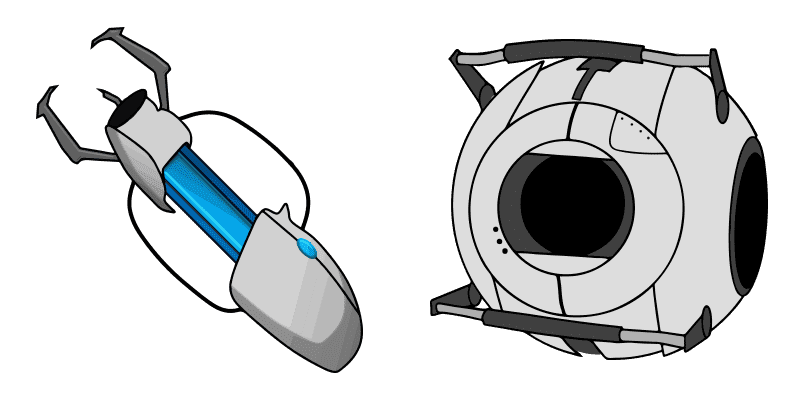
This collection covers the portal gun, cubes and Aperture iconography. The cake is a lie.
Browse 7 carefully curated cursor packs in this collection. All packs are free to download and work with Chrome, Edge, and Windows browsers.
From Custom Cursor World, Custom Cursors, and Cute Cursors catalogs
Discover more curated cursor collections that match your interests. Explore similar themed collections with free cursor packs for Chrome, Edge, and Windows.
Neon gaming and arcade custom cursors with controllers, pixels, trophies and portals

Free DeviantArt-themed custom cursors - cute creative pointer art for artists.

Free Alley Cats cursors - Ricky Gervais Netflix scruffy cat crew with dark outline fan art.

Free Strawberry Buddy custom cursors - cute strawberry character packs with matching pointers.
Follow these simple steps to start using custom cursors from the Portal collection. All cursor packs are free and easy to install.
Install the Custom Cursor World extension for Chrome or Edge browser. The extension is free and takes less than a minute to set up.
Explore 7 cursor packs in the Portal collection and find your favorite designs. Each pack is carefully curated for quality.
Click on any cursor pack and download it directly to your browser. No additional software or configuration needed.
Your new cursor is now active! Customize your browsing experience with unique cursor designs from the Portal collection.
Common questions about the Portal cursor collection
The Portal collection is a curated set of custom cursor packs designed to enhance your browsing experience. Each pack in this collection has been carefully selected to provide unique and visually appealing cursor designs.
Yes! All cursor packs in this collection are completely free to download and use. There are no hidden fees or subscriptions required.
These cursor packs work with Chrome and Edge browsers through the Custom Cursor World extension. The extension is free and easy to install.
Simply click on any cursor pack in this collection, then click the "Add" or "Download" button. The extension will automatically install the cursor pack for you.
Yes! You can switch between different cursor packs at any time. Just browse our collections and select a new pack whenever you want to change your cursor style.
No restart is needed! Once you install a cursor pack, it becomes active immediately. You can start using your new cursor right away.

Install our free browser extension to instantly apply any cursor from our vast collection with one click. Works seamlessly with Chrome, Edge, and Windows.

Portal sentry turret cute cursor packs the white turret red eye arrow and a matching white red pointing-hand pointer.

Portal red button cute cursor brings the red pressure button arrow and a matching red pointing-hand pointer.

Portal companion cube cute cursor packs the pink heart cube arrow and a matching grey pink pointing-hand pointer.

Portal blue portal cute cursor brings the glowing cyan oval arrow and a matching cyan pointing-hand pointer.

Portal orange portal cute cursor packs the glowing orange oval arrow and a matching orange pointing-hand pointer.