
Cute Cursors
Halloween Creatures
Halloween creature cursors - bats, black cats, spiders and night pests.

Halloween's horror shelf is all masks, blades and things that should not answer the door.
Freddy, Ghostface, Pinhead, witches, vampires, plague doctors and company.
Trick. Or click.
Browse 53 carefully curated cursor packs in this collection. All packs are free to download and work with Chrome, Edge, and Windows browsers.
From Custom Cursor World, Custom Cursors, and Cute Cursors catalogs
Discover more curated cursor collections that match your interests. Explore similar themed collections with free cursor packs for Chrome, Edge, and Windows.
Halloween creature cursors - bats, black cats, spiders and night pests.

Halloween pumpkin and jack-o'-lantern cursors for October desktops.

Halloween ghost and skull cursors - boos, bones and graveyard vibes.

Spooky neon horror custom cursors with skulls, ghosts, witches and paranormal signs
Follow these simple steps to start using custom cursors from the Halloween Horror collection. All cursor packs are free and easy to install.
Install the Custom Cursor World extension for Chrome or Edge browser. The extension is free and takes less than a minute to set up.
Explore 53 cursor packs in the Halloween Horror collection and find your favorite designs. Each pack is carefully curated for quality.
Click on any cursor pack and download it directly to your browser. No additional software or configuration needed.
Your new cursor is now active! Customize your browsing experience with unique cursor designs from the Halloween Horror collection.
Common questions about the Halloween Horror cursor collection
The Halloween Horror collection is a curated set of custom cursor packs designed to enhance your browsing experience. Each pack in this collection has been carefully selected to provide unique and visually appealing cursor designs.
Yes! All cursor packs in this collection are completely free to download and use. There are no hidden fees or subscriptions required.
These cursor packs work with Chrome and Edge browsers through the Custom Cursor World extension. The extension is free and easy to install.
Simply click on any cursor pack in this collection, then click the "Add" or "Download" button. The extension will automatically install the cursor pack for you.
Yes! You can switch between different cursor packs at any time. Just browse our collections and select a new pack whenever you want to change your cursor style.
No restart is needed! Once you install a cursor pack, it becomes active immediately. You can start using your new cursor right away.

Install our free browser extension to instantly apply any cursor from our vast collection with one click. Works seamlessly with Chrome, Edge, and Windows.
Brew bones with Halloween Bone and Potion cute cursor - free custom cursor set.
Undead reach Halloween Hand and Zombies cute cursor - free custom cursor download.
Wrap and reach with Halloween Hand and Mummy cute cursor - free custom cursor.

Ghostface vibes with Among Us Scream Skin cute cursor - free custom cursor pack.

Bone-white Among Us Skeleton Character cute cursor - free custom cursor download.

Dark beak Halloween Plague Doctor cute cursor - free custom cursor download.

Bubble brew Halloween Potion Cauldron cute cursor - free custom cursor pack.

Hat-topped Halloween Black Cat cute cursor - free custom cursor pack ready.
Field haunt with Scarecrow cute cursor - free custom cursor for autumn horror.

Red horns with Among Us Devil Character cute cursor - free custom cursor pack.
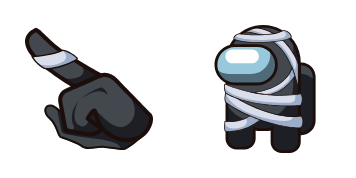
Wrapped tight with Among Us Mummy Character cute cursor - free custom cursor set.
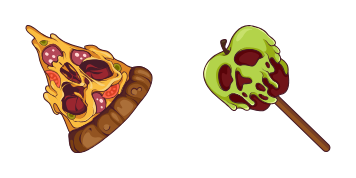
Slice scare with Halloween Pizza Monster cute cursor - free custom cursor pack.

Cast spells with Among Us Witch Skin cute cursor - free custom cursor pack ready.

Spirit glide Ouija Planchette Hawk Moth cute cursor - free custom cursor set.

Mask up with Among Us Jason Voorhees Character cute cursor - free custom cursor.
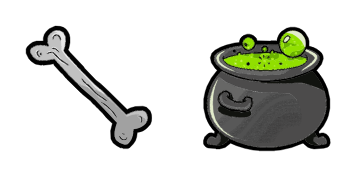
Potion glow with Halloween Bone and Potion cute cursor - free custom cursor pack.
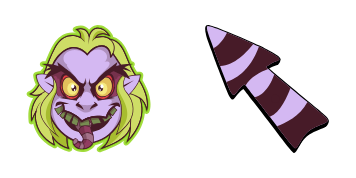
Strange and unusual Beetlejuice cute cursor - free custom cursor for spooky desks.
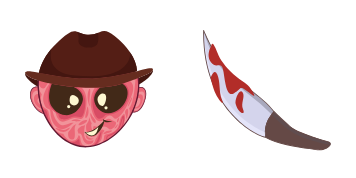
Nightmare tip with Freddy Krueger cute cursor - free custom cursor for horror fans.

Pink brew Halloween Pink Frog Witch Cauldron cute cursor - free custom cursor.

Festive bones with Halloween Miguel Rivera cute cursor - free custom cursor pack.
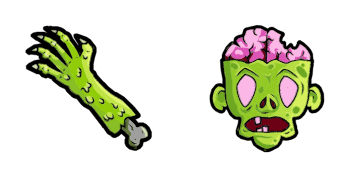
Soft undead Halloween Hand and Zombies cute cursor - free custom cursor pack.
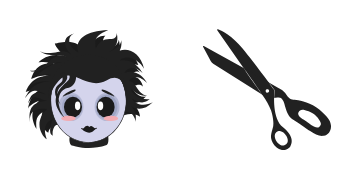
Snip soft with Edward Scissorhands cute cursor - free custom cursor pack.

October mood with Cursor Halloween cute cursor - free custom cursor pack ready.
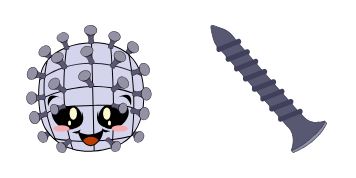
Pins out with Pinhead cute cursor - free custom cursor for horror fans.

Toxic drip with Poison cute cursor - free custom cursor for spooky desks.

Stitched soft with Frankenstein Kitty cute cursor - free custom cursor download.

Weird brew Halloween Chicken Foot and Eye Potion cute cursor - free custom cursor.
Soft wraps Halloween Hand and Mummy cute cursor - free custom cursor pack ready.
Spook soft with Halloween Cute Cursors cute cursor - free custom cursor download.

Stare soft with Halloween Spooky Eyeball cute cursor - free custom cursor animated.

Beak mask Halloween Plague Doctor Mask cute cursor - free custom cursor pack.

Candy night Halloween Trick-or-Treating cute cursor - free custom cursor pack.

Wiggle bite Halloween Worm and Apple cute cursor - free custom cursor animated.

Sweep night with Halloween Witch and Broom cute cursor - free custom cursor set.

Fangs meet faith with Halloween Vampire Cross cute cursor - free custom cursor.

Reach from the wrap with Halloween Mummy Hand cute cursor - free custom cursor.

Flash bones with Halloween Flashing Skeleton cute cursor - free custom cursor set.

Watching brew Halloween Eyeball Potion cute cursor - free custom cursor animated.

Rock undead with Halloween Zombie Hand cute cursor - free custom cursor pack.

Crystal glow Halloween Gemstone Magic Ball cute cursor - free custom cursor 3D.

Forked fun with Halloween Devil and Pitchfork cute cursor - free custom cursor.

Spell soft with Hopus Pocus cute cursor - free custom cursor for witchy desks.

Halloween Horror cauldron cute cursor packs the bubbling green slime cauldron arrow and a matching purple pointing-hand pointer.

Halloween Horror green flame candle cute cursor brings the smiling candle arrow and a matching cream pointing-hand pointer.

Halloween Horror black cat cute cursor packs the navy cat with green eyes arrow and a matching navy pointing-hand pointer.

Halloween Horror zombie hand cute cursor brings the mint zombie claw arrow and a matching green pointing-hand pointer.

Halloween Horror skull cute cursor packs the neon-eyed bone skull arrow and a matching bone pointing-hand pointer.

Among Us Gray Scarecrow Character cursor - gray straw-hat scarecrow crewmate with a matching pointer.

Among Us White Jack Skellington Character cursor - white pinstripe crewmate with a bow-tie pointer.

Among Us Pink Beautiful Halloween Witch Character cursor - pink witch-hat crewmate pointer pack.

Among Us Mint Character Dracula cursor - mint vampire crewmate with a cape accent pointer.

Purple Spider Web on Dark cursor with a Purple Spider pointer - free halloween web custom cursor.

Among Us Slenderman Character cursor - tall black suit crewmate with a blank face and matching hand.